
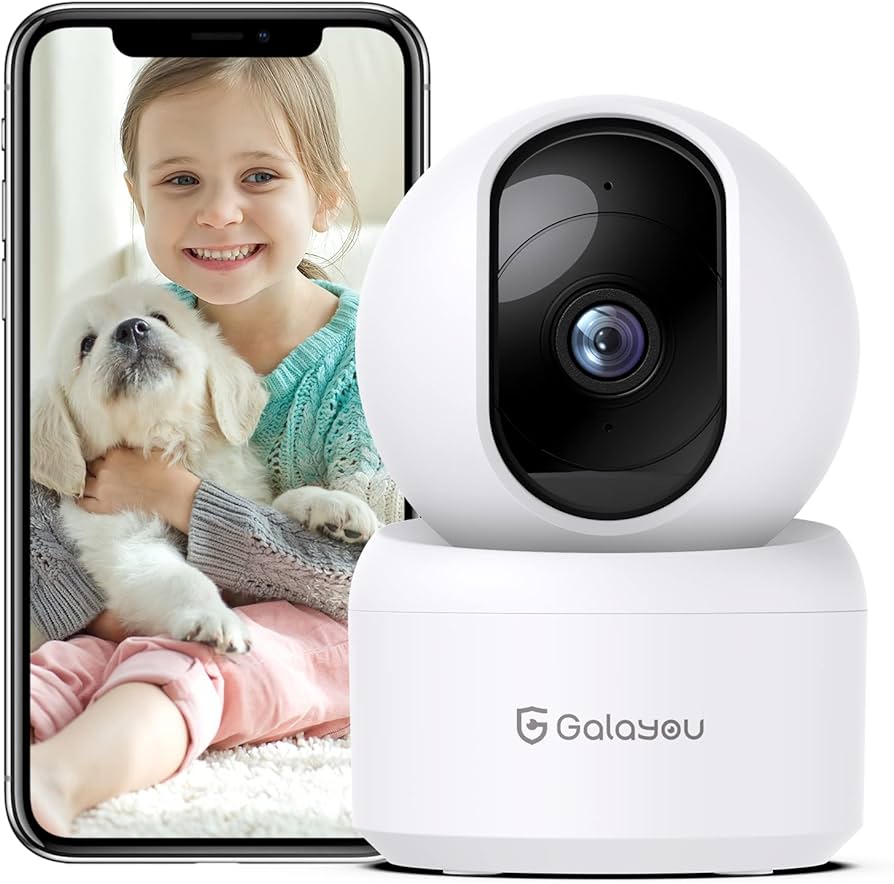
As the holiday season approaches, it’s easy to forget about our homes while we’re away on vacation. That’s where wireless cameras come in – devices that can be installed in your home to keep an eye on things while you’re not around. Wireless cameras are perfect for preventing burglaries and keeping tabs on your furry friends when you’re not at home.
The Benefits of Wireless Cameras
Wireless cameras offer a range of benefits, from monitoring your home’s security to keeping an eye on your pets. With advanced sensors that can detect movement and send alerts to your smartphone or email, you’ll be able to stay one step ahead of potential intruders. And with features like night vision and motion detection, you’ll have peace of mind knowing that your home is safe and secure.
How Wireless Cameras Work
Wireless cameras use a combination of technology to provide real-time video monitoring of your home or office. They can be connected to the internet via Wi-Fi, allowing you to access them remotely using a smartphone app or computer. With features like motion detection and night vision, wireless cameras can capture high-quality video even in low-light conditions.
Key Features to Look for
When shopping for a wireless camera, there are several key features to look for:
- Night Vision: Look for cameras with infrared LEDs that allow them to see in low-light conditions.
- Motion Detection: This feature alerts you when movement is detected, so you can take action if necessary.
- Wireless Connectivity: Make sure the camera can connect to your Wi-Fi network for remote access.
- Smartphone App: Choose a camera with a user-friendly app that allows you to view live video and receive notifications.
Top Wireless Camera Brands
When it comes to wireless cameras, there are several top brands to consider:
- D-Link: Known for their high-quality security cameras, D-Link offers a range of wireless cameras with advanced features like night vision and motion detection.
- Nest: This popular smart home brand offers a range of wireless cameras that integrate seamlessly with other Nest devices.
- Ring: With its focus on doorbells with cameras, Ring also offers a range of wireless security cameras for home monitoring.
Tips for Installing Wireless Cameras
Installing wireless cameras is easier than you think. Here are some tips to get you started:
- Choose the Right Location: Place your camera in a location where it can capture the entire area you want to monitor.
- Adjust the Angle: Adjust the camera’s angle to ensure it captures the best view of the area.
- Test the Connection: Before leaving for vacation, test the connection between your camera and smartphone app to make sure everything is working smoothly.
Conclusion
Wireless cameras are a great way to keep an eye on your home while you’re away. With advanced features like night vision and motion detection, you’ll be able to stay safe and secure. By choosing the right camera for your needs and following these installation tips, you can enjoy peace of mind knowing that your home is being monitored 24/7.
Frequently Asked Questions
- Q: What is the range of a wireless camera?
A: The range of a wireless camera depends on the type of signal it uses. Some cameras use Wi-Fi, which has a range of up to 100 feet, while others use Bluetooth or cellular connectivity. - Q: Can I access my wireless camera from anywhere?
A: Yes, most wireless cameras can be accessed remotely using a smartphone app or computer. - Q: How do I install a wireless camera?
A: Installing a wireless camera is relatively easy. Simply place the camera in the desired location, connect it to your Wi-Fi network, and download the manufacturer’s app. - Q: What happens if my wireless camera is hacked?
A: If your wireless camera is hacked, you’ll need to change the password immediately and contact the manufacturer for assistance. - Q: Can I use a wireless camera with other smart home devices?
A: Yes, many wireless cameras can integrate with other smart home devices, such as doorbells or thermostats. - Q: How often do I need to replace my wireless camera’s batteries?
A: The frequency of battery replacement depends on the type of battery used and the camera’s usage patterns.
Wireless Camera Security Features
Wireless cameras also offer a range of security features that can help keep your home safe. These include:
- Encryption: Many wireless cameras offer encryption to protect your video feed from unauthorized access.
- Two-Factor Authentication: Some cameras require two-factor authentication to prevent unauthorized access.
- Password Protection: Most cameras have password protection to ensure only authorized users can access the camera’s app or computer interface.
Wireless Camera Pet Features
Wireless cameras are also great for pet owners. These devices allow you to keep an eye on your furry friends and receive alerts if they’re in distress. Some wireless cameras even offer features like:
- Two-Way Audio: This feature allows you to talk to your pets remotely, which can be especially helpful if they’re feeling anxious or scared.
- Pet Detection: Some cameras come with pet detection software that identifies and tracks pets in real-time.
Wireless Camera Outdoor Features
Some wireless cameras are specifically designed for outdoor use. These devices are built to withstand the elements and offer features like:
- Weather Resistance: Many outdoor cameras are weather-resistant, making them perfect for installation on a porch or patio.
- Motion Detection: Some outdoor cameras come with motion detection, which alerts you when movement is detected.
Wireless Camera Home Office Features
Wireless cameras can also be used in home offices to monitor productivity and stay focused. These devices allow you to:
- Track Employee Activity: Some wireless cameras can track employee activity, helping you identify areas of improvement.
- Detect Productivity Losses: By tracking employee activity, you can detect productivity losses and take steps to improve office efficiency.
Wireless Camera Benefits for Business
Wireless cameras are also great for businesses. These devices allow you to:
- Monitor Employee Activity: Wireless cameras can help you monitor employee activity, ensuring that your business is running smoothly.
- Protect Your Assets: By monitoring employee activity, you can protect your assets and prevent theft or damage.
Wireless Camera Safety Features
Wireless cameras also offer a range of safety features that can help keep your home and business safe. These include:
- Emergency Response: Some wireless cameras come with emergency response features that alert authorities in case of an emergency.
- Alarm System Integration: Many wireless cameras integrate with alarm systems, providing an additional layer of security.
Wireless Camera Installation Tips
Installing a wireless camera is easier than you think. Here are some tips to get you started:
- Choose the Right Location: Place your camera in a location where it can capture the entire area you want to monitor.
- Adjust the Angle: Adjust the camera’s angle to ensure it captures the best view of the area.
- Test the Connection: Before leaving for vacation, test the connection between your camera and smartphone app to make sure everything is working smoothly.
Wireless Camera Maintenance Tips
To keep your wireless camera running smoothly, here are some maintenance tips:
- Check the Battery: Make sure your battery is fully charged before leaving for vacation.
- Clean the Lens: Regularly clean the lens to ensure clear video quality.
- Update Software: Regularly update your software to ensure you have the latest security patches and features.
Wireless Camera Troubleshooting Tips
If you encounter any issues with your wireless camera, here are some troubleshooting tips:
- Restart the Camera: Try restarting the camera to resolve connectivity issues.
- Check for Interference: Check for interference from other devices that may be affecting your camera’s signal.
- Reset the Camera: If all else fails, try resetting the camera to its factory settings.
Wireless Camera Conclusion
Wireless cameras are a great way to keep an eye on your home and business while you’re away. With advanced features like night vision and motion detection, you’ll be able to stay safe and secure. By choosing the right camera for your needs and following these installation tips, you can enjoy peace of mind knowing that your home is being monitored 24/7.
Wireless Camera Resources
If you have any questions about wireless cameras or need further assistance, here are some resources:
- Manufacturer’s Website: Visit the manufacturer’s website for more information on their products and features.
- Smartphone App Store: Check out your smartphone app store for reviews and ratings of different wireless camera apps.
- Online Forums: Join online forums to connect with other users who may have experience with wireless cameras.
Wireless Camera FAQs
Here are some frequently asked questions about wireless cameras:
- Q: What is the range of a wireless camera?
A: The range of a wireless camera depends on the type of signal it uses. Some cameras use Wi-Fi, which has a range of up to 100 feet, while others use Bluetooth or cellular connectivity. - Q: Can I access my wireless camera from anywhere?
A: Yes, most wireless cameras can be accessed remotely using a smartphone app or computer. - Q: How do I install a wireless camera?
A: Installing a wireless camera is relatively easy. Simply place the camera in the desired location, connect it to your Wi-Fi network, and download the manufacturer’s app.
Wireless Camera Cost
The cost of a wireless camera can vary widely depending on the features and quality of the device. Here are some general price ranges for different types of wireless cameras:
- Basic Models: $20-$50
- Mid-Range Models: $50-$100
- High-End Models: $100-$500


