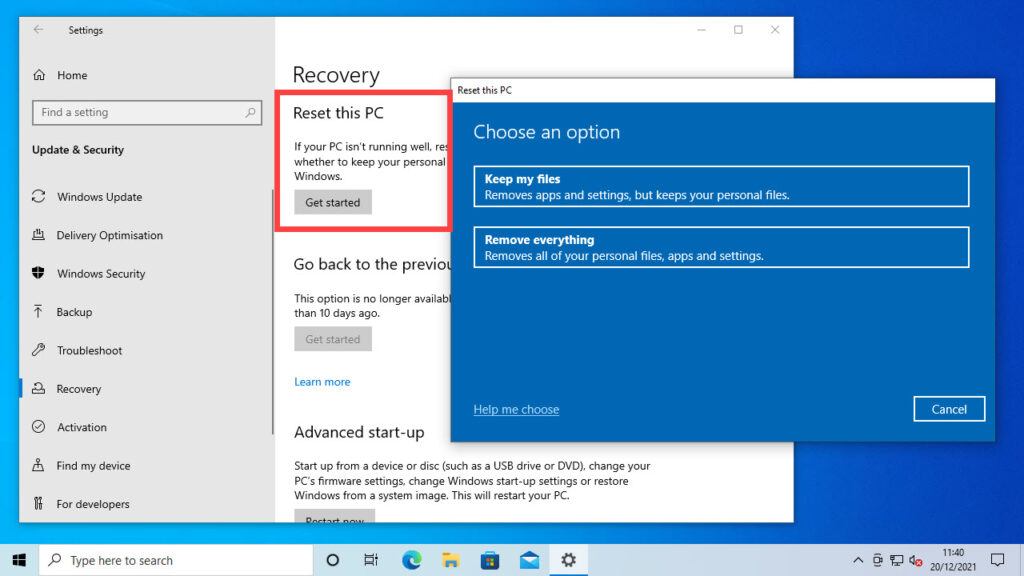
Are you really in need of buying a new computer, or can an upgrade solve your problems? When your computer is too slow, it doesn’t necessarily mean it needs to be replaced. In fact, upgrading or repurposing your current computer can be a cost-effective and environmentally friendly option. In this article, we’ll provide suggestions on how to save money, energy, and troubleshoot common computer issues.
Before Buying a New Computer: Consider Upgrading
Before purchasing a new computer, evaluate the possibility of upgrading instead. Upgrading your computer can potentially increase its RAM, making it easier to switch between programs. If your computer is old and slow after years of use, it’s worth trying some free strategies before abandoning it.
Upgrading your computer can also help you save money by reducing electronic waste. The average computer lasts for about 3-5 years before becoming obsolete. By upgrading, you can extend the life of your current computer and reduce your carbon footprint.
Step 1: Back Up Your System
Before attempting any upgrades or troubleshooting, back up your system to avoid losing important data. This is an essential step that should be performed regularly, especially if you’ve made significant changes to your computer’s configuration.
- Scan for Viruses: Use a free antivirus software like Microsoft Security Essentials or Malwarebytes to scan for viruses and spyware.
- Remove Malware: Utilize CCleaner or PC Decrapifier, both free tools, to remove temporary files, data accumulation, and unnecessary programs.
- Uninstall Unused Programs: Remove programs you no longer use. If a program won’t uninstall, use Revo to forcibly delete it.
Step 2: Upgrade Your Operating System
If your computer is still slow after trying the above steps, consider upgrading your operating system. If your RAM is less than 2 GB, upgrade it to improve performance. Also, if your hard drive is full, free up space by using external storage devices like an HD.
Upgrading your operating system can also help you take advantage of new features and technologies that may be available on newer systems. However, this step should be performed with caution, as upgrading the operating system can potentially cause data loss or instability.
Sustainable Computing: Eco-Friendly Options
Don’t throw away your old computer! Consider donating it to a charity or university student organization. When buying a new computer, look for Energy Star-rated models that have lower environmental impact and longer battery life. Opt for LED displays, PVC-free cases, and low-power systems.
Energy Star is a program run by the U.S. Environmental Protection Agency (EPA) that helps consumers identify energy-efficient products. Look for the Energy Star label on your computer to ensure it meets energy efficiency standards.
Recommendation: Sony Vaio EG3 Eco-Friendly Laptop
A great eco-friendly option is the Sony Vaio EG3 laptop, which offers excellent performance on a 14-inch display. Its energy-efficient design makes it an environmentally friendly choice.
The Sony Vaio EG3 laptop has a number of features that make it an attractive eco-friendly option:
- Energy-efficient processor: The Sony Vaio EG3 laptop is powered by Intel Core i5 processors, which are designed to be efficient and reduce power consumption.
- LED display: The laptop’s 14-inch LED display is energy-efficient and uses less power than traditional LCD displays.
- Low-power design: The Sony Vaio EG3 laptop has a low-power design that helps reduce heat generation and energy consumption.
Conclusion: Make Informed Decisions
When deciding whether to upgrade or replace your computer, consider the cost and environmental impact of your decision. By trying these free strategies and opting for eco-friendly options, you can troubleshoot common issues and make a more sustainable choice.
Frequently Asked Questions (FAQs)
- How often should I back up my system?
- It’s recommended to back up your system regularly to prevent data loss in case of hardware failure or other unexpected events.
- What are some free antivirus software options?
- Microsoft Security Essentials and Malwarebytes offer free virus scanning and malware removal capabilities.
- How can I remove temporary files and data accumulation?
- Utilize CCleaner or PC Decrapifier to delete unnecessary files and programs from your computer.
- Can I uninstall programs manually?
- If a program won’t uninstall, you may need to use Revo to forcibly delete it.
- What are some eco-friendly options for buying a new computer?
- Look for Energy Star-rated models with low power consumption and environmentally friendly materials like LED displays and PVC-free cases.
- How can I extend the life of my old computer?
- Consider donating or recycling your old computer to reduce electronic waste.
- What is the best way to upgrade my RAM?
- Check compatibility before purchasing new RAM, and follow manufacturer instructions for installation.
- Can I upgrade my operating system without losing data?
- Yes, if you back up your system before upgrading, you can minimize data loss during the process.
By following these steps and considering eco-friendly options, you can make informed decisions about whether to upgrade or replace your computer. Whether you choose to upgrade or buy a new computer, it’s essential to prioritize sustainability and reduce electronic waste.