
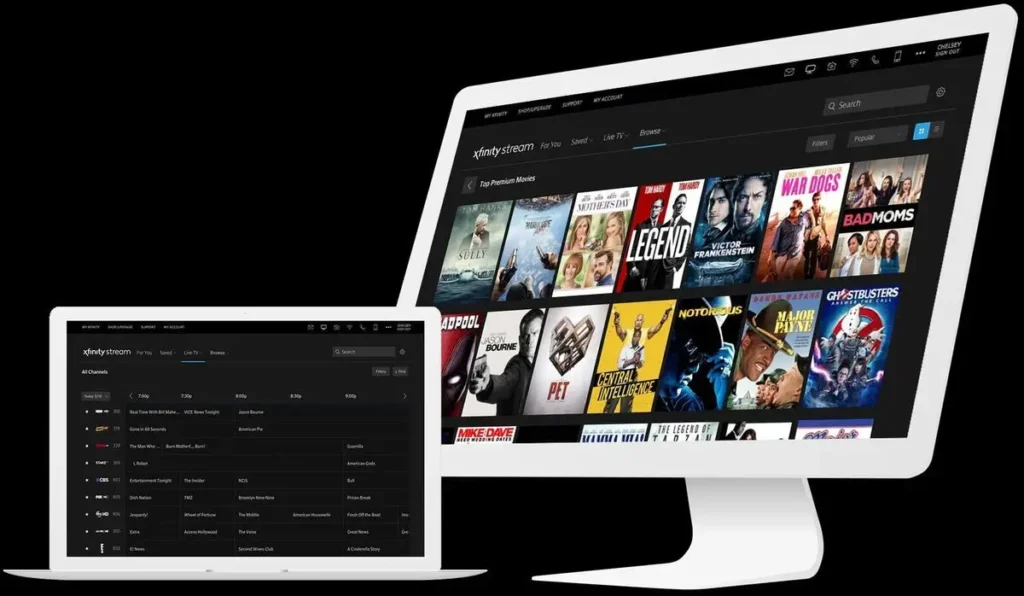
Are you tired of watching TV on a small screen? Do you want to experience the thrill of live sports or your favorite shows in high definition? If so, streaming TV on your PC is an excellent option. But before you start watching, you need to know what internet connection is required for streaming TV.
In this article, we’ll explore the different types of internet connections needed for streaming TV and provide tips on how to choose the best one for your needs.
Understanding Streaming Video Quality
Before we dive into the details, it’s essential to understand the different types of video quality. There are two main categories: high-definition (HD) and standard definition (SD). HD videos require a minimum of 20 Mbps internet connection speed, while SD videos only require 1 Mbps.
Think of it like this: HD videos are like watching your favorite movie on IMAX, while SD videos are like watching an old VHS tape.
Choosing the Right Internet Connection
Now that we know what video quality requires, let’s talk about choosing the right internet connection. Here are some options:
- ADSL (Asymmetric Digital Subscriber Line): This is a type of broadband connection that uses existing phone lines to provide internet access. While it’s a good option for light users, it may not be suitable for heavy streaming.
- Fiber-Optic: This is a high-speed internet connection that uses light to transmit data through fiber-optic cables. It’s ideal for heavy streamers who want the best possible video quality.
- WiMax: This is a wireless broadband technology that provides high-speed internet access over long distances. It’s a good option for those who want to watch TV on their PC without being tied down to a physical connection.
Streaming TV on Your PC
Now that we’ve discussed the different types of internet connections, let’s talk about streaming TV on your PC. Here are some popular services:
- Netflix: This is one of the most popular streaming services in the world. It offers a wide range of movies and TV shows in HD and 4K.
- Amazon Prime Video: This service offers a vast library of movies, TV shows, and original content. It’s available on various devices, including PCs.
- Hulu: This is another popular streaming service that offers a mix of TV shows, movies, and documentaries.
Chromecast and Apple TV
While these services are excellent for watching TV on your PC, they may not provide the best video quality. That’s where Chromecast and Apple TV come in.
- Chromecast: This is a device that allows you to stream content from your PC or mobile device to your TV using Google’s Cast technology.
- Apple TV: This is an app-based streaming device that offers access to various services, including Netflix, Amazon Prime Video, and Hulu.
Tips for Streaming TV on Your PC
Here are some tips for streaming TV on your PC:
- Make sure you have a stable internet connection.
- Use a high-quality PC monitor or TV with an HDMI port.
- Choose the right streaming service based on your needs.
- Consider using a Chromecast or Apple TV to improve video quality.
Streaming Services Comparison
Here’s a comparison of some popular streaming services:
| Service | Video Quality | Price |
|---|---|---|
| Netflix | HD and 4K | $8.99-$17.99/month |
| Amazon Prime Video | HD and 4K | Included with Amazon Prime membership ($12.99/month) |
| Hulu | HD and 4K | $5.99-$11.99/month |
Choosing the Right Streaming Service
When choosing a streaming service, consider your needs and preferences:
- If you want a wide selection of movies and TV shows, choose Netflix or Amazon Prime Video.
- If you’re looking for original content, choose Amazon Prime Video or Hulu.
- If you want to watch sports, choose ESPN+ or NFL Sunday Ticket.
Common Streaming Issues
Here are some common issues that may arise when streaming TV on your PC:
- Buffering: This occurs when your internet connection is slow, causing the video to stutter or freeze.
- Lag: This occurs when there’s a delay between what you see on screen and what you hear.
- Audio Delay: This occurs when the audio is delayed compared to the video.
To minimize these issues:
- Check your internet connection speed and quality.
- Use a high-quality PC monitor or TV with an HDMI port.
- Adjust the streaming service settings for optimal performance.
Conclusion
Streaming TV on your PC is an excellent option for those who want to experience live sports, movies, and shows in high definition. By understanding the different types of internet connections needed for streaming TV and choosing the right one, you can enjoy an immersive viewing experience.
We hope this article has helped you make informed decisions about streaming TV on your PC.
FAQs
- What is the minimum internet connection speed required for HD streaming?
Answer: At least 20 Mbps. - Can I use WiMax to stream TV on my PC?
Answer: Yes, but it may not be suitable for heavy users due to potential latency issues. - Is Chromecast a good option for streaming TV on my PC?
Answer: Yes, it’s an excellent device for casting content from your PC or mobile device to your TV. - What are the differences between Amazon Prime Video and Netflix?
Answer: Amazon Prime Video offers more original content, while Netflix has a wider selection of movies and TV shows. - Can I use Apple TV to stream HD content on my PC?
Answer: Yes, but it may require additional setup and configuration. - Is fiber-optic internet required for streaming TV on my PC?
Answer: No, it’s not necessary if you have a stable internet connection with sufficient bandwidth. - Can I use an external hard drive to store HD videos for streaming on my PC?
Answer: Yes, but make sure your computer has enough processing power and memory to handle the load. - What is the best streaming service for watching live sports on my PC?
Answer: It depends on the specific sport or event you want to watch. Consider using services like ESPN+ or NFL Sunday Ticket.
Streaming TV on Your Mobile Device
While streaming TV on your PC is an excellent option, it’s also possible to stream content directly from your mobile device.
Here are some popular streaming services available for mobile devices:
- Netflix: Available for iOS and Android devices.
- Amazon Prime Video: Available for iOS and Android devices.
- Hulu: Available for iOS and Android devices.
Tips for Streaming TV on Your Mobile Device
Here are some tips for streaming TV on your mobile device:
- Make sure you have a stable internet connection.
- Use a high-quality smartphone or tablet with an HDMI port (if possible).
- Choose the right streaming service based on your needs.
- Consider using a Chromecast or Apple TV to improve video quality.
Conclusion
Streaming TV on your PC is an excellent option for those who want to experience live sports, movies, and shows in high definition. By understanding the different types of internet connections needed for streaming TV and choosing the right one, you can enjoy an immersive viewing experience.
We hope this article has helped you make informed decisions about streaming TV on your PC or mobile device.
FAQs
- What is the minimum internet connection speed required for HD streaming?
Answer: At least 20 Mbps. - Can I use WiMax to stream TV on my PC?
Answer: Yes, but it may not be suitable for heavy users due to potential latency issues. - Is Chromecast a good option for streaming TV on my PC?
Answer: Yes, it’s an excellent device for casting content from your PC or mobile device to your TV. - What are the differences between Amazon Prime Video and Netflix?
Answer: Amazon Prime Video offers more original content, while Netflix has a wider selection of movies and TV shows. - Can I use Apple TV to stream HD content on my PC?
Answer: Yes, but it may require additional setup and configuration. - Is fiber-optic internet required for streaming TV on my PC?
Answer: No, it’s not necessary if you have a stable internet connection with sufficient bandwidth. - Can I use an external hard drive to store HD videos for streaming on my PC?
Answer: Yes, but make sure your computer has enough processing power and memory to handle the load. - What is the best streaming service for watching live sports on my PC?
Answer: It depends on the specific sport or event you want to watch. Consider using services like ESPN+ or NFL Sunday Ticket.


