
Introduction
The way we consume television has undergone a significant transformation with the advent of internet technology. It’s hard to believe it’s been only a few years since the television was the undisputed king of the living room, with everyone gathered around the screen watching their favorite shows from the RAI and private channels.
Today, with the rise of streaming TV, everything has changed. The offer of content has expanded exponentially, and we now have the power to choose not only what we watch but also how we consume it. But before we dive into the world of streaming TV, let’s explore what’s changed and what hasn’t.
The Rise of Streaming TV
Streaming TV has revolutionized the way we watch television. Gone are the days when you had to rely on traditional cable or satellite TV. With streaming services, you can access a vast library of content from anywhere in the world, at any time.
But streaming TV isn’t just about convenience; it’s also about choice. We now have the ability to select our preferred viewing experience, whether that’s through a smart TV, laptop, tablet, or smartphone. This flexibility has opened up new possibilities for how we consume television, and it’s changing the way we think about traditional TV.
Streaming TV is a relatively recent phenomenon, but it’s already had a significant impact on the entertainment industry. The rise of streaming services has led to an explosion of content creation, with many studios and networks investing heavily in original programming.
The Evolution of Smart TVs
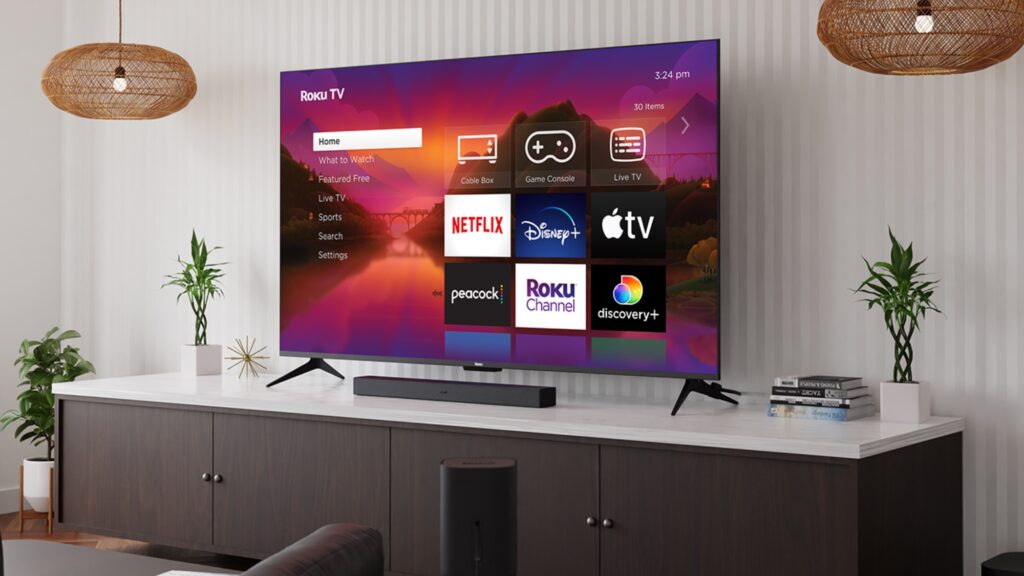
One of the key players in the streaming TV landscape is the smart TV. These devices have become increasingly popular over the past few years, with many manufacturers offering high-quality smart TVs that can stream content from the internet.
But what makes a smart TV truly special? It’s not just about having a fancy operating system or a sleek design; it’s about being able to access a wide range of streaming services and enjoy seamless video playback. With the rise of 4K resolution, smart TVs are now capable of producing high-quality visuals that rival those found on traditional cable TV.
Smart TVs also offer a range of features that enhance the viewing experience. Many models come with built-in Wi-Fi, allowing users to stream content directly from their devices. Others feature voice control, making it easy to navigate menus and find your favorite shows.
Device Compatibility: A Crucial Factor
When it comes to streaming TV, device compatibility is crucial. Not all devices can handle streaming, and some services may not be compatible with certain platforms.
For example, Sky Online, a popular streaming service in the UK, only works on PCs, Macs, and select tablets and smartphones. However, its sister service, Sky Go, allows users to access content on-the-go using their mobile device.
Device compatibility can also affect the overall viewing experience. For instance, if you have an older TV that doesn’t support streaming, you may need to use a separate device like a Google Chromecast or Apple TV to stream content from your smartphone or laptop.
Choosing the Right Streaming Service
With so many streaming services available, it can be daunting to choose the right one for your needs. Factors such as price, content selection, and compatibility with your devices should all be taken into account.
Infinity TV is another popular streaming service that offers a wide range of content, including some titles not found on other platforms. However, users need to purchase a Google Chromecast device in order to stream content to their non-smart TVs.
When choosing a streaming service, it’s essential to consider your viewing habits and preferences. If you’re a fan of documentaries or indie films, services like Netflix or Amazon Prime Video may be the best choice. On the other hand, if you’re looking for more mainstream content, services like Sky Online or Disney+ may be a better fit.
Internet Speed: A Critical Factor
Streaming TV requires a significant amount of bandwidth, especially for high-definition content. Without sufficient internet speed, video playback can be slow and stuttery, making the viewing experience frustrating.
To avoid this, it’s essential to check your internet speed before selecting a streaming service. Many providers offer tools to help you test your speed, so be sure to use these to ensure you have enough bandwidth for smooth video playback.
In addition to checking your internet speed, it’s also crucial to consider the quality of the content you’re streaming. If you’re looking for high-definition content, make sure your service offers a minimum download speed of 25 Mbps. For standard definition (SD) content, a minimum download speed of 5 Mbps is sufficient.
Streaming Services: A Comparison
There are many streaming services available today, each offering unique features and benefits. Here’s a comparison of some of the most popular services:
- Netflix:
- Price: $8.99-$17.99 per month
- Content selection: Wide range of original content, including TV shows and movies
- Compatibility: Available on multiple devices, including smartphones, tablets, laptops, and smart TVs
- Internet speed requirements: 5 Mbps for SD, 25 Mbps for HD
- Amazon Prime Video:
- Price: $8.99-$14.99 per month (included with Amazon Prime membership)
- Content selection: Wide range of original content, including TV shows and movies
- Compatibility: Available on multiple devices, including smartphones, tablets, laptops, and smart TVs
- Internet speed requirements: 5 Mbps for SD, 25 Mbps for HD
- Sky Online:
- Price: $6.99-$12.99 per month
- Content selection: Wide range of TV shows and movies, including some original content
- Compatibility: Available on PCs, Macs, select tablets and smartphones
- Internet speed requirements: 5 Mbps for SD, 25 Mbps for HD
- Disney+:
- Price: $6.99-$12.99 per month
- Content selection: Wide range of TV shows and movies from Disney, Pixar, Marvel, and Star Wars
- Compatibility: Available on multiple devices, including smartphones, tablets, laptops, and smart TVs
- Internet speed requirements: 5 Mbps for SD, 25 Mbps for HD
Conclusion
Streaming TV has revolutionized the way we consume television, offering unparalleled flexibility and choice. However, with this convenience comes a range of technical considerations, including device compatibility, streaming service selection, and internet speed.
By understanding these factors and choosing the right streaming service for your needs, you can enjoy a seamless viewing experience that rivals traditional cable TV.
Frequently Asked Questions
- Q: What is streaming TV?
A: Streaming TV refers to the practice of accessing television content over the internet, rather than through traditional broadcast or cable. - Q: Which devices support streaming TV?
A: Most smart TVs, laptops, tablets, and smartphones can stream TV content using various streaming services. - Q: How do I choose the right streaming service for my needs?
A: Consider factors such as price, content selection, and compatibility with your devices when selecting a streaming service. - Q: What is the minimum internet speed required for streaming TV?
A: The minimum internet speed required for streaming TV varies depending on the quality of content being streamed. However, most services require at least 5 Mbps for standard definition (SD) and 25 Mbps for high-definition (HD). - Q: Can I use a non-smart TV to stream content using a dongle?
A: Some devices, such as Google Chromecast, allow users to stream content to non-smart TVs. - Q: What is the difference between streaming services like Netflix and Amazon Prime Video?
A: Both Netflix and Amazon Prime Video offer extensive libraries of content, but they differ in terms of pricing, availability, and content selection. Netflix focuses on original content and a wide range of international titles, while Amazon Prime Video offers additional benefits, such as free shipping and music streaming. - Q: Can I use my mobile device to stream TV content?
A: Yes, many streaming services offer mobile apps that allow users to access their content on-the-go. - Q: How do I ensure seamless video playback when streaming TV?
A: To ensure smooth video playback, check your internet speed before selecting a streaming service and use a reliable device with sufficient bandwidth.


