
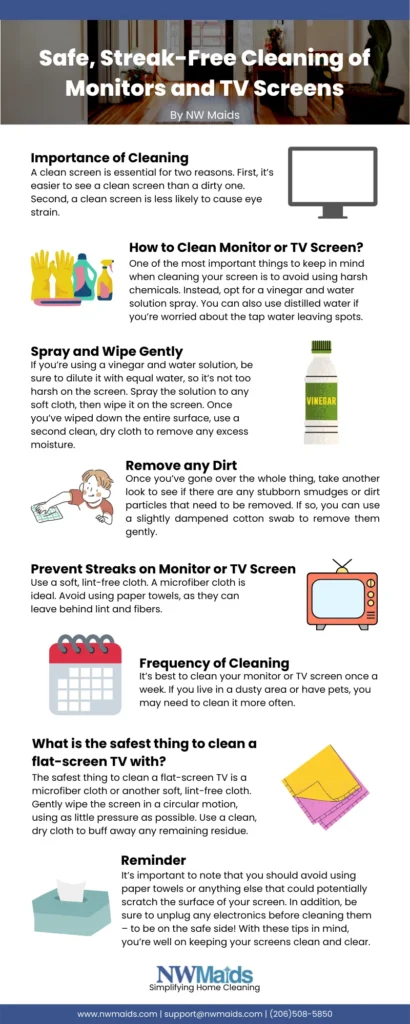
As we spend more time staring at our screens, it’s essential to maintain their clarity and brightness. A dirty display can lead to smudges, streaks, or even scratches, which can be frustrating and costly to repair. In this article, we’ll explore the importance of cleaning your display naturally and provide you with a comprehensive guide on how to do it safely and effectively.
The Risks of Improper Screen Cleaning
Modern smartphones, tablets, and computers have thinner screens with multiple layers, making them more delicate than older models. One misstep in cleaning could ruin one of these displays. Liquid (water or detergent) can seep between the plastic joints and penetrate deeper into the layers, leading to a disastrous outcome.
The Top 3 Rules of Screen Cleaning
To avoid damaging your display, follow these three essential rules:
- Never use rough cloths: Rough cloths can scratch your screen, leaving behind unsightly marks.
- Never spray detergent directly onto the screen: Liquid can seep into the layers and cause damage.
- Never use wet cloths excessively: Excessive moisture can lead to water spots, streaks, or even corrosion.
The Dangers of Using the Wrong Cleaning Agents
Some common cleaning agents are not suitable for screens. Avoid using:
- Perfumed detergents
- Detergents containing ammonia
- Detergents containing alcohol
These substances can damage glossy displays, harm retina display technology, and render anti-reflective coatings ineffective.
Common Mistakes to Avoid
Don’t make these common mistakes when cleaning your display:
- Using paper towels, wet cloths, or general-purpose rags to dry the screen
- Spraying detergent directly onto the screen
By avoiding these mistakes, you can ensure a safe and effective cleaning process.
The Art of Screen Cleaning: A Step-by-Step Guide
To clean your display safely and effectively, follow these steps:
- Turn off your device: Ensure your device is turned off before cleaning to prevent any accidental damage.
- Gently clean the screen: Use a cold screen to avoid overheating.
- Spray compressed air: Use a canister of compressed air to gently blow away dust and debris.
- Wipe with a microfiber cloth: Use a thoroughly cleaned and dried microfiber cloth to wipe the screen in a circular motion.
Tips for Cleaning Specific Types of Displays
- For touch-sensitive screens (smartphones, tablets, etc.), use a gentle, lint-free cloth to avoid scratching the surface.
- For LCD/Plasma displays, use a soft-bristled brush to remove dust and debris from corners.
Natural Cleaning Solutions
When dealing with stubborn stains or dirt on your display, try using these natural cleaning solutions:
- Mix equal parts distilled water and white vinegar to clean oil or grease stains
- Use a soft-bristled brush to remove dust and debris
The Benefits of Natural Cleaning Agents
Using natural cleaning agents can have several benefits for your screen:
- They are safer for your device’s coating and anti-reflective layers.
- They are gentler on your eyes, reducing strain from harsh chemicals.
- They are environmentally friendly, reducing the impact of chemical waste.
Common Screen Cleaning Mistakes and How to Avoid Them
- Using a dirty microfiber cloth: Regularly wash your microfiber cloth with mild soap and water to ensure it remains clean and free of lint.
- Not turning off your device before cleaning: This can cause accidental damage or static electricity that damages your screen.
- Using too much compressed air: Overusing compressed air can create a vacuum effect, potentially damaging your screen’s coating.
The Importance of Regular Screen Cleaning
Regular screen cleaning is essential for maintaining the clarity and brightness of your display:
- It removes dust and debris that can cause smudges and streaks.
- It prevents scratches and damage from everyday wear and tear.
- It extends the life of your device by preventing dirt and grime from building up.
Best Practices for Screen Cleaning
To ensure a safe and effective cleaning process, follow these best practices:
- Clean your screen regularly to prevent buildup of dust and debris.
- Use a gentle, lint-free cloth specifically designed for cleaning screens.
- Avoid using harsh chemicals or abrasive cleaners that can damage your device’s coating.
- Never use water or excessive moisture on your screen.
The Cost of Improper Screen Cleaning
Improper screen cleaning can lead to costly repairs and maintenance:
- Scratches and cracks can render your screen unusable, requiring expensive replacement.
- Fungal growth and corrosion can spread throughout the display, causing further damage.
- Regular cleaning mistakes can shorten the lifespan of your device.
Conclusion
Cleaning your display naturally is an essential part of maintaining its clarity and brightness. By following the guidelines outlined in this article, you can ensure a safe and effective cleaning process that extends the life of your device. Remember to avoid common mistakes, use natural cleaning agents, and practice regular screen cleaning to keep your display looking its best.
FAQs
- Q: Can I use window cleaner to clean my smartphone or TV screen?
A: No, most window cleaners contain ammonia or low concentrations of alcohol, which can damage glossy displays. - Q: What’s the best way to remove dust and debris from corners on my LCD/Plasma display?
A: Use a soft-bristled brush specifically designed for cleaning screens. - Q: Can I use a damp cloth to clean my screen?
A: No, excessive moisture can lead to water spots, streaks, or even corrosion. - Q: How often should I clean my display?
A: Clean your display regularly to maintain its clarity and brightness. - Q: What’s the best cleaning agent for my smartphone screen?
A: Use a gentle, lint-free cloth and compressed air specifically designed for cleaning screens. - Q: Can I use a vacuum cleaner to clean my screen?
A: No, vacuum cleaners can create static electricity that damages screens. - Q: How do I remove stubborn stains or dirt on my display?
A: Try using a natural cleaning solution, such as mixing equal parts distilled water and white vinegar. - Q: Can I use a microfiber cloth with a built-in adhesive to clean my screen?
A: No, this can damage your screen’s coating and compromise its effectiveness.
By following these guidelines and avoiding common mistakes, you can keep your display clean and clear for years to come.


