
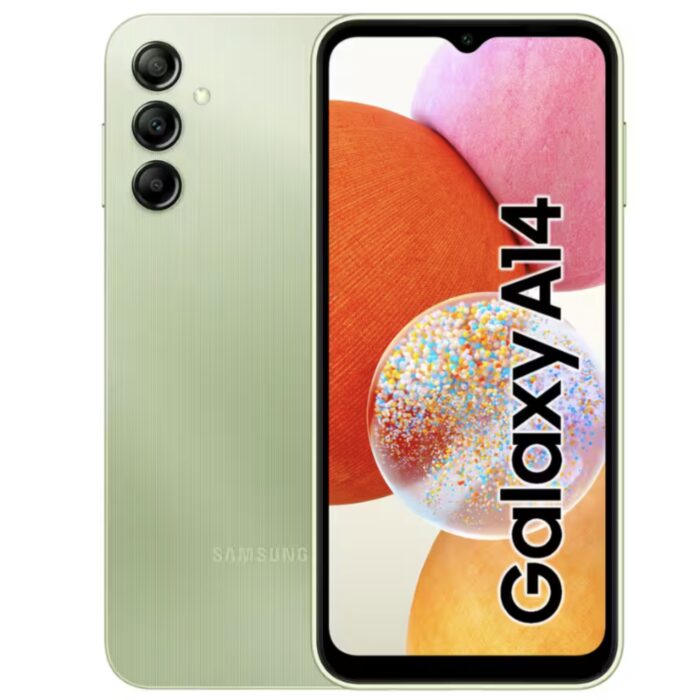
Introduction to the Galaxy Chat
Imagine a smartphone that makes social life easier and more enjoyable, without breaking the bank. The Samsung Galaxy Chat is exactly that device, packed with features that cater to individuals of all ages and budgets. With its elegant design and powerful capabilities, this phone aims to revolutionize the way we interact with others.
In today’s fast-paced world, communication has become an essential part of our daily lives. Whether it’s staying connected with friends and family, sharing updates on social media, or simply wanting to stay informed about what’s happening around us, having a reliable smartphone is a must-have tool. The Samsung Galaxy Chat offers just that – a seamless and enjoyable user experience that makes connecting with others as easy as can be.
Design and Display
The first thing that catches your eye about the Galaxy Chat is its sleek and compact design. This phone is perfect for those who want to make a statement without overdoing it. The device’s youthful energy and power make it an ideal choice for social enthusiasts, allowing users to easily reach their contacts with a simple touch.
One of the standout features of the Galaxy Chat is its 3-inch touchscreen display paired with a QWERTY keyboard. This unique combination provides users with the perfect balance between portability and productivity. Whether you’re sending a quick message or composing an email, the responsive touchscreen interface ensures that your interactions are smooth and effortless.
The phone’s compact size also makes it easy to slip into a pocket or purse, making it the perfect accessory for those who want to stay connected on-the-go. The Galaxy Chat is designed to be as versatile as possible, catering to users who need a reliable device for both personal and professional purposes.
Specs and Performance
The Galaxy Chat runs on Android 4.0 (Ice Cream Sandwich), a sophisticated operating system that delivers seamless performance. This version of the OS provides users with access to a wide range of features and tools, from intuitive interface customization options to enhanced multitasking capabilities.
One of the key benefits of running on Ice Cream Sandwich is the improved power efficiency that it brings. With lower battery consumption and faster charging times, you can enjoy uninterrupted usage throughout your day. Whether you’re using your phone for social media, email, or online gaming, you can trust the Galaxy Chat to keep up with your demands.
ChatON: A Revolutionary Messaging App
One of the standout features of the Galaxy Chat is its built-in ChatON app, designed by Samsung to work on any device (smartphones, tablets, PCs, or laptops). This innovative system allows users to share a wide range of content, including photos, videos, documents, animations, and more with their contacts. With ChatON, you can create animated messages and start group chats for an added layer of social interaction.
ChatON also supports various file formats, such as PDFs, Microsoft Word documents, and JPEG images. This makes it easy to share content in a format that’s easily readable by anyone, regardless of their device or platform preferences.
E-mail Management
The Galaxy Chat simplifies email management through features like enhanced search capabilities, interactive menu bars, and the ability to store emails in folders for faster access. Whether you’re checking your inbox for new messages or searching for specific emails, the phone’s intuitive interface makes it easy to find what you need quickly.
For those who rely on their email for work-related purposes, the Galaxy Chat offers additional features like attachment support, message threading, and calendar synchronization. This ensures that you can stay connected with colleagues and clients while also maintaining a professional image.
Game Hub: Entertainment at Your Fingertips
The phone’s Game Hub is stocked with popular games to keep you entertained. The AllShare Play feature allows seamless content sharing between devices connected to your network, making it easy to share photos, music, or movies with friends and family.
Whether you’re a casual gamer or an avid enthusiast, the Galaxy Chat offers a range of options that cater to all skill levels and interests. From puzzle games like Tetris to action-packed titles like Angry Birds, there’s something for everyone in the Game Hub.
Productivity on-the-go
For work-related tasks, the Galaxy Chat offers Quick Office, which provides an intuitive interface for Microsoft Word, Excel, and PowerPoint documents. This makes it easy to create, edit, and share documents with colleagues or clients while on-the-go.
Additionally, Samsung S Planner helps you stay organized by reminding you of appointments and managing your schedule in a practical manner. Whether you’re checking the weather forecast, tracking your fitness goals, or simply keeping track of upcoming events, this app ensures that you stay connected to what matters most.
Availability and Price
The Galaxy Chat will be available for purchase in Italy starting August, with a recommended retail price of 139 euros (IVA included) at major electronics retailers and mobile operators. With its sleek design, powerful capabilities, and affordable price tag, this device is poised to revolutionize the world of social interaction.
Conclusion
In conclusion, the Samsung Galaxy Chat is an innovative smartphone that embodies a green spirit. With its elegant design, advanced features, and affordable price tag, this device is poised to revolutionize the way we interact with others. By combining cutting-edge technology with practical usability, the Galaxy Chat makes it easy for anyone to enjoy life’s pleasures.
FAQs
-
What operating system does the Samsung Galaxy Chat run on?
The phone runs on Android 4.0 (Ice Cream Sandwich). -
How can I share content with friends and family?
Use the ChatON app, which allows sharing of various types of media with contacts. -
Is the Galaxy Chat suitable for work-related tasks?
Yes, it offers Quick Office for document management and Samsung S Planner for scheduling reminders. -
What is the recommended retail price in Italy?
The device will be available starting August at 139 euros (IVA included). -
Does the phone have a touchscreen display?
Yes, the Galaxy Chat features a 3-inch touch screen paired with a QWERTY keyboard. -
Can I use other messaging apps on the phone?
While the built-in ChatON app is unique, you can still download and install other third-party messaging applications if desired. -
Does the phone support content sharing between devices?
Yes, it does through AllShare Play for seamless multimedial content exchange with other connected devices. -
Is there any additional documentation available or tutorials for using the device’s various features?
As a user, you can access Samsung’s official website and support resources to get started with your Galaxy Chat.


