
Are there apps for everything? With today’s smartphones, you can even carry an entire forest on your device. We’re excited to introduce two apps that will help you identify trees and shrubs, a task that’s not always easy. These apps are part of the world of botanical taxonomy, allowing you to recognize plants and trees based on their characteristics.
What is Leafsnap?
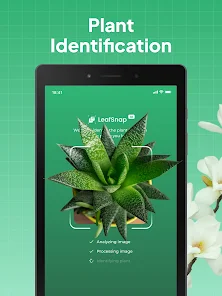
Leafsnap is an app that uses visual recognition software to compare your leaf with images in its database. It’s free, but it has some drawbacks: it only comes in English, which might be a barrier for many users. Additionally, the app sometimes fails to recognize native trees in Italy.
Developed by researchers at Columbia University in collaboration with the University of Maryland and the Smithsonian Institution, Leafsnap contains high-resolution images of leaves, flowers, fruits, seed pods, and bark from various tree species found in the Northeastern United States. However, its database is limited to tree species found in this region, making it less useful for Italian users who want to identify plants they encounter during their travels.
What about iForest?
iForest is a different story altogether. While Leafsnap has some limitations, iForest offers a more comprehensive and user-friendly experience. The app is available in Italian and features images of common trees and shrubs found in Central Europe. Perfect for outdoor enthusiasts like campers and hikers, iForest not only provides detailed information about the plants you encounter but also includes their reproductive cycles.
Key Features of iForest
- High-resolution images of leaves, bark, roots, seeds, fruits, and flowers
- Detailed descriptions of each plant’s characteristics
- Reproductive cycles explained in an easy-to-understand format
- Suitable for outdoor enthusiasts and nature lovers
Cost and Charity Aspect
iForest costs approximately 10 euros per download. For every purchase made, the app developers will donate 1.10 euros to the Bergwaldprojekt foundation, which has been supporting mountain conservation efforts since 1987.
Comparison of Leafsnap and iForest
While Leafsnap is visually appealing, its limitations make it less suitable for Italian users who want to identify plants they encounter. In contrast, iForest offers a more comprehensive experience with additional features like reproductive cycles explanations.
Conclusion
When choosing between these two apps, iForest stands out as the more complete and user-friendly option for Italian users. Leafsnap may appeal to those with an English-speaking background, but its limitations make it less suitable for our needs.
Frequently Asked Questions (FAQs)
- What is the difference between Leafsnap and iForest?
Leafsnap is a visual recognition app that focuses on leaf identification, while iForest provides detailed information about trees and shrubs found in Central Europe. - Why does iForest have a higher price tag than Leafsnap?
iForest’s developers donate 1.10 euros for every download to the Bergwaldprojekt foundation, which supports mountain conservation efforts. - Is Leafsnap available in Italian?
No, Leafsnap is only available in English, making it less suitable for Italian users. - Can I use iForest if I’m not from Central Europe?
Yes, although some plant species may be more common in Italy than others, the app still provides valuable information about trees and shrubs found throughout Europe. - What kind of images does Leafsnap contain?
Leafsnap features high-resolution images of leaves, flowers, fruits, seed pods, and bark from various tree species found in the Northeastern United States. -
Can I download both apps?
Yes, you can try both Leafsnap and iForest to see which one works better for your needs. -
How does Leafsnap’s visual recognition software work?
The app uses a combination of image processing techniques to match your leaf with images in its database. -
What is the Bergwaldprojekt foundation?
The Bergwaldprojekt foundation supports mountain conservation efforts through volunteer projects and reforestation initiatives. -
Can I report errors or inaccuracies in Leafsnap’s results?
Yes, you can report any mistakes to the app developers, which may lead to improved accuracy and recognition of native tree species. -
Is iForest suitable for children?
Yes, the app provides detailed information about trees and shrubs that can be enjoyed by people of all ages. -
How do I use Leafsnap or iForest when I don’t have an internet connection?
You can download both apps offline to use them even without an internet connection. -
Can I export my findings from iForest for further research?
Yes, the app allows you to save your notes and observations for later reference. -
How do I update Leafsnap or iForest on my device?
Check your app store for updates, as both apps are regularly updated with new features and bug fixes. -
Can I use Leafsnap or iForest on other mobile operating systems?
While the original version of Leafsnap is available for iOS devices only, there may be alternative versions or workarounds for Android users. -
Will Leafsnap or iForest become obsolete as plant identification apps evolve?
Both apps are regularly updated with new features and bug fixes to ensure they remain relevant in the world of botanical taxonomy.
Tips for Using Leafsnap and iForest
- Before using either app, make sure you have a clear image of the leaf or tree you want to identify.
- Take multiple photos from different angles if possible.
- Compare your images with the ones available in the apps’ databases.
- Pay attention to details such as leaf shape, size, and coloration.
- Use the apps in combination with other field guides or resources for a more comprehensive identification process.
How to Identify Trees and Shrubs with Leafsnap
- Open the app and select “Leaf Identification”.
- Take a clear photo of the leaf you want to identify.
- Choose your location (if available).
- Select the type of plant you think it might be.
- The app will show you a few options, choose the one that best matches your leaf.
How to Identify Trees and Shrubs with iForest
- Open the app and select “Tree Identification”.
- Take a clear photo of the tree or shrub you want to identify.
- Choose your location (if available).
- Select the type of plant you think it might be.
- The app will show you detailed information about the plant, including its reproductive cycle.
Conclusion
Leafsnap and iForest are two powerful apps that can help you identify trees and shrubs on the go. While LeafSnap has some limitations, iForest offers a more comprehensive experience with additional features like reproductive cycles explanations. When choosing between these two apps, iForest stands out as the more complete and user-friendly option for Italian users.
Additional Resources
- Leafsnap: www.nature.columbia.edu/leafsnap
- iForest: iforest.app
- Bergwaldprojekt foundation: www.bergwaldprojekt.de
By using Leafsnap and iForest, you can take advantage of the power of botanical taxonomy to identify trees and shrubs on your next outdoor adventure. Whether you’re a seasoned naturalist or just starting out, these apps are sure to help you connect with nature in a whole new way.


