
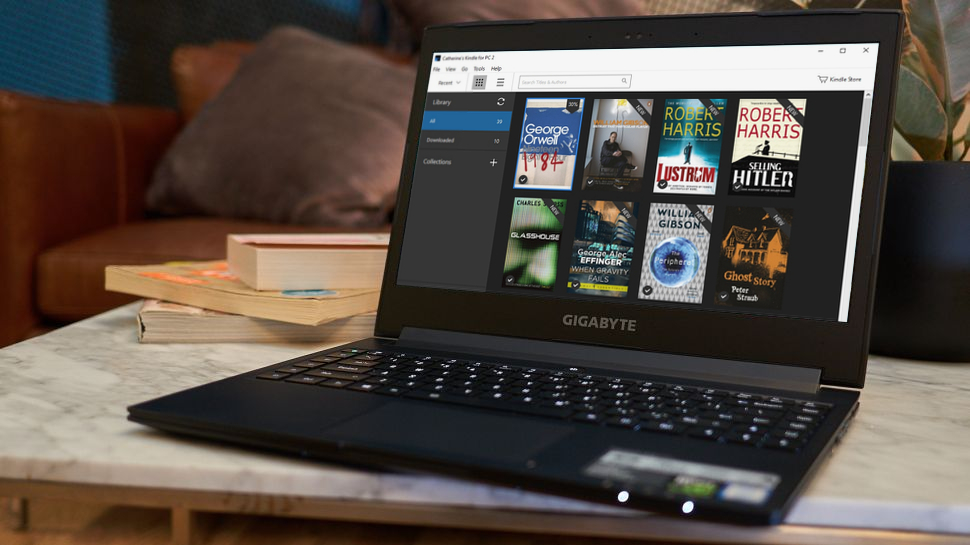
As we navigate the digital age, e-books have become an integral part of our lives. But what exactly are they? In simple terms, an e-book is a digital version of a printed book, allowing us to read on various devices that can display its format (such as EPUB, PDF, or DOC). This convenience has made e-books accessible on PCs, Macs, and specialized e-readers.
The Most Common E-Book Format: EPUB
EPUB is the most widely used e-book format. However, to read an EPUB file on a PC, you’ll need software that can open this format. Fortunately, there are numerous free options available, including Adobe Digital Editions (available on Adobe.it).
The Benefits of E-Books Over Physical Books
E-books offer several advantages over their physical counterparts:
- Convenience: E-books are lightweight and portable, allowing you to carry multiple titles with ease.
- Space-saving: With e-books, you can store hundreds of books in a single device, making them an ideal option for those with limited storage space.
- Cost-effective: Many e-book formats are free or low-cost, reducing the financial burden associated with purchasing physical copies.
Software for Reading E-Books on PCs and Macs
For those who want to read e-books on their PCs or Macs, there’s a range of software options to choose from:
- Adobe Digital Editions: A popular choice for reading EPUB files on both Windows and Mac.
- Kindle for PC (on Amazon.it): Allows you to access your Kindle library and enjoy features like word search, dictionary access, list organization, character customization, annotation support, and bookmarking.
The Benefits of E-Readers Over PCs and Macs
E-readers offer several benefits over using a computer or laptop:
- Eye-friendly: The backlit screens of e-readers are gentler on the eyes than traditional screen displays.
- Long battery life: E-readers typically have long battery lives, allowing you to read for extended periods without needing to recharge.
The Popular e-Reader: Kindle
Among the most beloved e-readers is the Kindle by Amazon. Its features include:
- Word Search: Find words within the text.
- Dictionary Access: Get instant definitions for unfamiliar words.
- List Organization: Create and manage lists of favorite books or authors.
- Character Customization: Personalize your reading experience with font size, line spacing, and background color adjustments.
- Annotation Support: Add notes to your book or highlight passages for easy reference.
Legacy e-Readers: Microsoft Reader and More
While the Kindle is a modern favorite, there are also older e-readers worth mentioning:
- Microsoft Reader: A dated option that struggles with reading various e-book formats and has limited page customization options.
- MartView: Allows users to fold, rotate, and adjust the orientation of their e-books. It’s available for both Macintosh and Windows systems.
Additional Software Options
Other notable e-book readers include:
- Bilo (Windows): Reads XPS, EPUB, and PDF files.
- Calibre (Windows, Mac, Linux): A comprehensive e-book management tool with reading capabilities.
Popular E-Reader Brands
There are several popular e-reader brands to consider:
- Amazon
- Barnes & Noble
- Kobo
- PocketBook
Each brand offers a range of devices and features that cater to different needs and preferences.
Tips for Choosing the Right E-Reader
When selecting an e-reader, consider the following factors:
- Display quality: Look for high-resolution displays with good color accuracy.
- Storage capacity: Choose a device with sufficient storage space to hold your library of e-books.
- Connectivity options: Ensure the e-reader has connectivity options such as Wi-Fi or Bluetooth.
E-Reader Accessories and Peripherals
To enhance your e-reading experience, consider the following accessories and peripherals:
- Cases and covers: Protect your e-reader with a durable case or cover.
- Screen protectors: Add an extra layer of protection to your display screen.
- Car chargers: Keep your e-reader charged on-the-go.
Conclusion
E-books have revolutionized the way we read, offering convenience, space-saving capabilities, and cost-effectiveness. With a range of software options, popular e-readers like Kindle, legacy devices, and additional software can cater to different needs and preferences. By understanding the benefits of e-books and choosing the right e-reader, you can enhance your reading experience and enjoy the future of reading.


